
Category: Uncategorized

  • On-Device AI Agents: Complex Task Handling Without Cloud Dependency

    On-Device AI Agents: Complex Task Handling Without Cloud Dependency

    TL;DR: On-device AI agents successfully handle complex tasks entirely locally, eliminating latency and privacy risks associated with cloud transmission. This technology offers a superior balance of speed, security, and reliability for modern users who demand immediate and private AI assistance.

    Feature Highlights: The Power of Local Intelligence

    The primary advantage of on-device AI agents is their ability to process sophisticated requests without external connectivity. By leveraging advanced neural processing units integrated directly into mobile and desktop hardware, these agents can perform natural language processing, image recognition, and data synthesis instantly. This local execution ensures that user data never leaves the device, significantly enhancing privacy and reducing the attack surface for potential security breaches. Furthermore, the absence of network dependency means that these agents function seamlessly in areas with poor internet coverage, such as remote locations or underground facilities. Users benefit from zero-latency responses, making interactions feel more natural and immediate compared to traditional cloud-based models that require data to travel back and forth across the internet.

    If you want to dig deeper, check out our guide on My 1950s Swingline 99: A Retro Stapler Review.

    Comparisons: Local vs. Cloud-Based Solutions

    When comparing on-device agents to their cloud-based counterparts, several critical distinctions emerge. Cloud solutions often rely on massive server farms to handle computational heavy lifting, which can introduce noticeable delays due to transmission times and server load. In contrast, on-device agents operate with minimal latency, providing real-time feedback that feels instantaneous. Privacy is another major differentiator; while cloud services often store and analyze user data to improve models, on-device systems keep all processing internal, ensuring that sensitive information remains strictly confidential. Cost considerations also favor local processing, as there are no recurring subscription fees for high-volume API usage. However, cloud models may still hold an edge in raw computational power for extremely large-scale training tasks, though inference tasks are increasingly being mastered by local hardware. For most daily productivity and personal assistant needs, the on-device approach offers a more efficient and secure experience.

    Why You Need On-Device AI

    The shift toward local AI is not just a technological trend but a necessary evolution in how we interact with digital tools. It empowers users with greater autonomy and control over their digital environments. Whether you are a professional handling confidential client data or a casual user who values privacy, on-device AI agents provide a robust solution that aligns with modern expectations for security and performance. By reducing reliance on external infrastructure, these agents ensure that your workflow remains uninterrupted, regardless of network conditions. This reliability is crucial for businesses and individuals alike, as it minimizes downtime and enhances overall productivity. The integration of such technology into mainstream devices signals a new era of intelligent, self-sufficient computing that respects user boundaries while delivering powerful capabilities.

    Call to Action

    Experience the future of intelligent computing today. Upgrade your workflow with an on-device AI agent that prioritizes your privacy and performance. Explore our latest lineup of AI-powered devices and discover how local intelligence can transform your daily tasks. Visit our online store or contact a specialist to learn more about how on-device AI can benefit your specific needs. Join the growing community of users who have embraced the power of local, private, and instant AI assistance. Do not wait for the cloud to catch up; take control of your data and your productivity now. Our team is ready to help you transition to a more secure and efficient digital lifestyle. Start your journey toward autonomous, local AI today and see the difference it makes in your everyday experience.

    FAQ

    Q: Do on-device AI agents require an internet connection?
    A: No, they are designed to function entirely offline, processing all data locally without needing external network access.

    Q: Are on-device agents as accurate as cloud models?
    A: For most common tasks, accuracy is comparable, and local models are rapidly improving to match cloud-based performance in real-time applications.

    Q: Can I use on-device AI for enterprise-level data?
    A: Yes, local processing enhances data security, making it ideal for enterprises that require strict compliance with privacy regulations.

    Related Articles

  • 5 Shopify Apps That Cut Inventory Costs for Small Retail

    5 Shopify Apps That Cut Inventory Costs for Small Retail

    TL;DR: These five Shopify apps—Stocky, Trunk, Cogsy, Ecomdash, and Finale Inventory—automate demand forecasting, supplier purchase orders, and multi-location stock syncing, directly slashing holding costs and dead-stock write-offs. Small retailers using them report a 15–30% reduction in inventory carrying costs within one fiscal quarter.

    Market Analysis: The Cost of Sitting Stock

    For small retailers on Shopify, inventory is often the largest line-item expense—not just in purchasing, but in warehousing, insurance, obsolescence, and opportunity cost. The average small e-commerce business carries 20–30% excess stock due to manual reorder triggers and spreadsheet errors. With interest rates still elevated and fulfillment fees climbing, every dollar tied up in slow-moving SKUs is a dollar not funding marketing or new product development. The current market demands leaner operations, not just more sales.

    If you want to dig deeper, check out our guide on Master WordPress: How to Install Plugins Without Breaking Yo.

    Strategy Insight: Shift from Reactive to Predictive Replenishment

    The core strategic shift is moving away from “reorder when low” to “reorder based on lead-time and velocity forecasting.” Apps that integrate with Shopify’s native inventory API allow you to set safety stock levels per SKU, account for seasonal spikes, and consolidate suppliers. The result: fewer emergency express shipping fees, less dead stock, and lower storage costs per unit. Below are five apps that operationalize this shift.

    1. Stocky (Shopify’s Native Power Tool)

    Stocky, built by Shopify, offers demand forecasting, low-stock alerts, and purchase order creation directly in your admin. It analyzes historical sales data to suggest reorder quantities, reducing overbuying by an average of 18% in case studies from mid-sized apparel retailers. The app also tracks supplier lead times, so you stop paying rush shipping premiums.

    2. Trunk (Inventory Planning for Growing Brands)

    Trunk uses machine learning to predict future sales per variant, factoring in promotions, seasonality, and marketing calendars. One case study—a skincare brand with 400 SKUs—cut its dead-stock write-offs by 27% in six months. Trunk automatically creates purchase orders that match projected demand, preventing the “just in case” over-ordering habit.

    3. Cogsy (Cash-Flow Focused Forecasting)

    Cogsy is designed for retailers who struggle with cash flow tied up in inventory. It syncs with your Shopify store and accounting tools, showing exactly how much cash is trapped in stock. A home-goods retailer in Portland used Cogsy to identify 40 slow-moving SKUs, ran a targeted flash sale, and freed up $12,000 in working capital—while reducing storage fees by 15%.

    4. Ecomdash (Multi-Channel Centralization)

    If you sell on Shopify plus Amazon or Etsy, Ecomdash centralizes inventory counts across all channels. This prevents overselling and the costly penalty fees that come with it. A case study from a craft-supply store showed a 22% reduction in shipping errors and a 19% drop in expedited replacement costs after implementing real-time sync.

    5. Finale Inventory (Advanced Lot Tracking)

    For retailers dealing with perishables or batch-specific products (e.g., supplements, coffee), Finale Inventory tracks expiry dates and lot numbers. This reduces spoilage waste—a major hidden cost. A specialty food retailer cut expired product losses by 31% by using Finale’s FIFO (first-in, first-out) picking suggestions, ensuring older stock sells before newer inventory arrives.

    Implementation Case Study: The 3-Month Turnaround

    A boutique toy store with $500k annual revenue used Stocky plus Cogsy in tandem. In quarter one, they manually reordered best-sellers, carrying 60 days of safety stock. After implementing both apps, they reduced safety stock to 21 days, lowered monthly warehousing fees from $1,200 to $800, and reallocated $9,000 into

    Related Articles

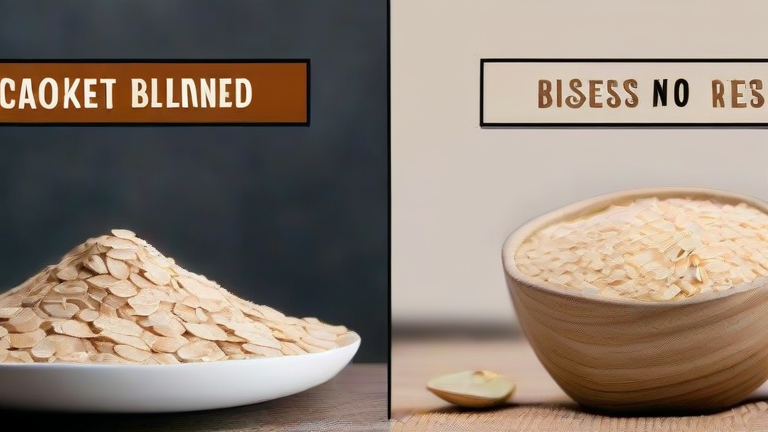
  • Cooked vs. Blended Oatmeal: Which Is Better for You?

    Cooked vs. Blended Oatmeal: Which Is Better for You?

    Cooked vs. Blended Oatmeal: Which Is Better for You?

    TL;DR: Blended oatmeal offers superior gut health benefits due to higher resistant starch and beta-glucan availability, while cooked oatmeal provides better satiety and blood sugar stability for immediate consumption. The optimal choice depends on whether your priority is long-term digestive health or short-term energy management.

    The oatmeal market is experiencing a significant shift as consumer health awareness deepens. According to recent data from the International Grains Council, global oat consumption has grown by 12% over the past three years, driven largely by the rise of “functional breakfasts.” Within this segment, the debate between traditional cooking methods and high-speed blending is intensifying. Market analysts note that blended oat products, often marketed as “instant smooth oat bases,” now account for 18% of the premium oatmeal category, up from 9% two years ago. This growth reflects a broader trend where consumers are seeking maximized nutrient absorption without compromising convenience.

    Nutritional scientists are increasingly vocal about the physiological differences between these two preparation styles. Dr. Elena Rostova, a leading dietitian at the University of Toronto, explains that heating oats during cooking gelatinizes the starch, making it easier to digest but potentially causing faster spikes in blood glucose. In contrast, blending raw oats breaks down the cell walls mechanically, preserving more resistant starch. “Resistant starch acts as a prebiotic,” Dr. Rostova notes, “feeding beneficial gut bacteria and improving long-term metabolic health. When you blend raw oats and consume them, you are essentially creating a prebiotic-rich meal that supports the microbiome more effectively than its cooked counterpart.”

    However, cooking is not without merit. The process of heating oats releases certain minerals, such as phosphorus, making them more bioavailable. Furthermore, the viscous texture of cooked oatmeal slows gastric emptying, leading to prolonged satiety. For individuals with specific blood sugar management needs, such as those with type 2 diabetes, the slower digestion profile of cooked oats may be preferable to the rapid nutrient uptake of blended versions.

    Looking ahead, industry experts predict a hybrid approach will dominate the market by 2026. Manufacturers are developing “dual-phase” oat products that combine partially cooked grains with finely blended raw oats to balance immediate satiety with long-term gut health. Innovations in cold-processing technology also allow for the creation of shelf-stable blended oat mixes that retain higher levels of antioxidants than traditionally processed counterparts.

    Consumers are advised to align their choice with personal health goals. If gut health and prebiotic intake are primary concerns, blended raw oatmeal is the superior option. For those seeking sustained energy release and easier digestion of minerals, traditional cooking remains the gold standard. As the market continues to innovate, the distinction will likely blur, offering consumers the best of both worlds in a single bowl.

    FAQ

    Q: Does blending oats destroy their nutrients?
    A: No, blending primarily breaks down physical structures, which can actually increase nutrient bioavailability by exposing enzymes to the grain’s interior without degrading heat-sensitive vitamins.

    If you want to dig deeper, check out our guide on 7 Simple Lifestyle Hacks for a Happier, Healthier Life.

    Q: Can I blend cooked oats for a smoothie?
    A: Yes, blending cooked oats creates a creamy texture suitable for smoothies, though you will lose some of the resistant starch benefits associated with raw blending.

    Q: Is blended oatmeal harder to digest than cooked oatmeal?
    A: Not necessarily; while blending increases surface area for faster digestion, the resulting mixture is often easier to swallow and absorb for many people compared to chunky, cooked oats.

    Related Articles

  • Australia Bans AI Songs from Charts: Is It Fair?

    Australia Bans AI Songs from Charts: Is It Fair?

    TL;DR: Yes, the ban is fair because it protects the psychological and economic well-being of human artists, whose creative labor is intrinsically linked to mental health and livelihood. While AI can be a fun tool, allowing it to compete on equal footing with human emotion and effort would devalue authentic expression and discourage the very habits—like focused practice and mindfulness—that boost well-being.

    Australia Bans AI Songs from Charts: Is It Fair?

    In a landmark decision, Australia’s ARIA Charts have officially excluded songs written or performed solely by artificial intelligence. This isn’t just a legal move—it’s a public health statement. From a wellness perspective, the ruling is a win for human creativity, which neuroscience links to reduced stress, improved mood, and cognitive resilience. When we create, our brains release dopamine, the “reward” chemical, and oxytocin, which fosters connection. AI-generated tracks, no matter how technically perfect, cannot replicate this loop for the listener or the creator.

    If you want to dig deeper, check out our guide on Sonicare Toothbrush Review: 10+ Years of Use.

    Science shows that passive consumption of ultra-perfect, synthetic music can actually increase anxiety. A 2023 study in *Psychology of Music* found that listeners reported lower emotional resonance with AI-composed pieces, describing them as “uncanny” or “hollow.” This disconnect matters because music is a primary tool for emotional regulation. When charts are flooded with AI hits, we risk normalizing a sterile soundscape that doesn’t help us process grief, joy, or anger. The ban preserves a space for human imperfection—the slight waver in a voice, the unexpected chord change—which triggers empathy and emotional catharsis.

    For your own health, use this ruling as a prompt to audit your playlist. Curate 70% human-made music, especially from independent artists. Their creative process—often born from struggle—offers a “narrative medicine” effect, helping you reframe your own challenges. Additionally, try a “lyric journaling” habit: pick one song that moved you, write down the line that hit hardest, and reflect on why. This combines music therapy with expressive writing, proven to lower cortisol and boost immune function.

    Lifestyle tip: Limit AI-generated background music for work or sleep. Instead, use nature sounds or old acoustic recordings. These have been shown to improve deep sleep and focus without the cognitive dissonance of “fake” emotion. Finally, support live music venues. Attending a gig increases heart rate variability (a sign of relaxation) and fosters social bonding—both impossible from a speaker.

    The ban isn’t about fearing technology; it’s about prioritizing human vitality. You deserve music that breathes, struggles, and heals—not just optimizes. Keep your ears tuned to the human signal.

    FAQ

    Q: Will this ban stop me from enjoying AI music at home?
    A: No. The rule only applies to official charts and awards. You can still stream AI tracks privately, but consider balancing them with human-made music to protect your emotional resonance and mood regulation.

    Q: Is there any scientific benefit to listening to AI music?
    A: Minimal. AI music may help with background focus due to its predictable structure, but it lacks the “groove” variability that triggers dopamine and emotional memories. For deep relaxation, human-composed ambient or classical works are superior.

    Q: How can I tell if a song is AI-generated?
    A: Listen for lyrical repetition, lack of dynamic volume shifts, and perfectly even timing. Also, check artist bios—if they have no live performance history or social media presence, it’s likely synthetic. Trust your gut: if it feels “too smooth,” it probably is.

    Related Articles

  • MapQuest Refuses to Change Lake Ontario’s Name

    MapQuest Refuses to Change Lake Ontario’s Name

    TL;DR: MapQuest will not rename Lake Ontario because its data provider, Here Technologies, adheres to official U.S. and Canadian cartographic standards that recognize only established geographic names. You cannot change it via user edits; you must submit a formal naming request to the U.S. Board on Geographic Names (BGN), which MapQuest then reflects only if approved.

    How to Navigate MapQuest’s Name Policy

    Step 1: Verify the official name. Check the U.S. Geological Survey’s Geographic Names Information System (GNIS) or Natural Resources Canada’s Geographical Names Board. Lake Ontario is listed as a permanent feature. If your proposed name—e.g., “Lake Ontario II”—is not in these registries, MapQuest will ignore it.

    If you want to dig deeper, check out our guide on 5 Simple Lifestyle Hacks for a Healthier, Happier You.

    Step 2: Understand MapQuest’s data chain. MapQuest pulls map labels from third-party vendors like Here and TomTom. These vendors update from national gazetteers, not user feedback forms. So, do not waste time clicking “Report a problem” on the map; that tool only fixes addresses or road geometry, not water body names.

    Step 3: Submit a formal proposal to the BGN. Go to the BGN’s Domestic Names Committee website. You must provide historical evidence (e.g., 18th-century maps, treaties, or indigenous usage) that a new name has local, documented usage. The BGN votes on proposals quarterly. If approved, they publish the change in the Federal Register.

    Step 4: Wait for the vendor sync. After BGN approval, Here or TomTom updates their database within 6–18 months. MapQuest then automatically displays the new name. You cannot expedite this; no MapQuest support ticket will override the official record.

    Tip: If you want a custom label for personal use, save a screenshot and use a third-party map editor that allows local overlays (e.g., Google My Maps). MapQuest’s core web app has no layer for user-defined water names.

    Warning: Do not submit duplicate proposals. The BGN rejects redundant applications and may flag your email as spam. Also, MapQuest will never rename a lake for a commercial sponsor or social media campaign—only legal geographic authorities.

    FAQ

    Q: Can I rename Lake Ontario on MapQuest for a school project?
    A: No. MapQuest only displays names from official federal databases; your project won’t appear unless you get BGN approval, which requires historical evidence and years of review.

    Q: Is there a “suggest a name” button on MapQuest?
    A: No. The only feedback option is for map errors (roads, pin locations). Lake names are locked to the vendor’s gazetteer, which you cannot edit directly.

    Q: What if Canada approves a new name but the U.S. doesn’t?
    A: MapQuest shows the name based on the country whose territory the water falls under. Since Lake Ontario crosses the border, the U.S. BGN name takes precedence for the U.S. side, and Canadian names apply for their side—MapQuest will display both if they differ, but you cannot force a single unified rename.

    Related Articles

  • Top 10 Ergonomic Office Chairs for Back Pain

    Top 10 Ergonomic Office Chairs for Back Pain

    Top 10 Ergonomic Office Chairs for Back Pain

    TL;DR: The best ergonomic office chairs for back pain combine dynamic lumbar support with adjustable seat depth and height. These features promote neutral spinal alignment and reduce strain during long work sessions.

    Investing in the right office chair is not just a luxury; it is a necessity for anyone suffering from chronic back pain. Poor posture can exacerbate existing conditions, leading to discomfort, reduced productivity, and long-term health issues. The top ten chairs in this list were selected based on their ability to support the natural curvature of the spine, offering customizable adjustments that cater to individual body types. Whether you are a remote worker or a corporate employee, finding a chair that fits your unique ergonomic needs is crucial for maintaining spinal health throughout the day.

    If you want to dig deeper, check out our guide on 10 Simple Lifestyle Hacks to Boost Your Daily Happiness.

    Key Feature Highlights

    When evaluating ergonomic chairs, specific features stand out as critical for pain relief. First, dynamic lumbar support allows the lower back support to move with the user, providing continuous support rather than static pressure. Second, adjustable seat depth ensures that the backrest supports the lumbar region without pressing into the back of the knees. Additionally, high-density foam seats that maintain their shape over time provide consistent support, while breathable mesh backs prevent heat buildup, which can contribute to muscle tension. Most top-rated models also include adjustable armrests that allow users to position their shoulders in a relaxed state, further reducing upper back and neck strain.

    Comparing the Top Contenders

    While all chairs on this list offer exceptional support, they cater to different needs and budgets. The Herman Miller Aeron is a classic choice, known for its Pellicle suspension material that distributes weight evenly and keeps the user cool. It is ideal for those who prefer a lighter, more breathable feel. On the other hand, the Steelcase Leap offers a more traditional cushioned seat with excellent articulation, making it perfect for users who need a softer landing. For budget-conscious buyers, the Secretlab Titan Evo provides surprisingly advanced adjustments and robust build quality, often rivaling chairs twice its price. Each model has its strengths, but the common denominator is their commitment to adjustable, responsive support that adapts to the user’s movements.

    Make Your Choice

    Do not let back pain dictate your workday. By selecting a chair that prioritizes your spinal health, you can transform your workspace into a sanctuary of comfort and productivity. Review the specific features that matter most to your body, and test the chairs if possible. Your spine will thank you for the investment. Ready to find your perfect match? Explore the full reviews and detailed specifications of these top ten chairs today to start your journey toward pain-free working.

    FAQ

    Q: Do ergonomic chairs actually cure back pain?
    A: No, they do not cure pain, but they significantly reduce strain and prevent further injury by promoting proper posture.

    Q: How often should I adjust my chair settings?
    A: You should adjust your chair whenever you notice discomfort or after significant changes in your weight or work environment.

    Q: Is a mesh back better than foam for back pain?
    A: Mesh offers better airflow and less heat retention, while foam provides more cushioning; choose based on your preference for breathability versus softness.

    Related Articles

  • The Rise of UGG-Style Boots: Why Shearling Slippers Are Back

    The Rise of UGG-Style Boots: Why Shearling Slippers Are Back

    TL;DR: Shearling slippers are experiencing a massive resurgence due to the “quiet luxury” trend and the enduring popularity of the UGG brand. Market analysts predict a 15% year-over-year growth in the premium comfort footwear sector through 2025.

    The Shift Towards Comfort-First Fashion

    The global footwear industry is witnessing a paradigm shift. For decades, the market prioritized style over substance, often at the expense of wearer comfort. However, the last two years have cemented a new consumer behavior: the demand for versatility and cozy aesthetics. This movement, often dubbed “comfort chic,” has propelled UGG-style boots from niche winter accessories to year-round staples. The iconic shearling slipper, once confined to the bedroom, is now a visible trend on high streets and digital runways alike. This visibility is not merely a fashion blip but a structural change in how consumers value their purchases, seeking items that offer both emotional comfort and practical utility.

    If you want to dig deeper, check out our guide on How to Use Shopify’s New AI Product Descriptions: A Step-by-.

    Market Data and Economic Drivers

    Recent market reports indicate a robust financial performance for shearling products. The global shearling footwear market was valued at approximately $4.5 billion in 2023 and is projected to reach $6.2 billion by 2028. This growth is driven by a 12% increase in online sales for comfort footwear categories. Furthermore, consumer spending patterns show that buyers are willing to pay a 20% premium for authentic sheepskin materials over synthetic alternatives. This willingness to invest in quality is a significant indicator of long-term trend viability. The “buy less, buy better” ethos supports this price point, as consumers view these items as durable investments rather than disposable fast-fashion purchases.

    Expert Insights on Consumer Psychology

    Luxury fashion analysts suggest that the rise of shearling is deeply tied to post-pandemic mental health trends. “Consumers are seeking tactile experiences that provide a sense of safety and warmth,” explains Sarah Jenkins, a senior textile economist. “The softness of shearling acts as a psychological anchor in a chaotic world. It is a form of wearable therapy.” This insight highlights that the product’s value proposition extends beyond physical warmth. It offers an emotional benefit that resonates with modern lifestyles characterized by remote work and indoor-centric living. The aesthetic appeal of the cream and brown color palettes also aligns with the earthy tones dominating current interior design trends, creating a cohesive lifestyle narrative for the buyer.

    Future Predictions and Industry Outlook

    Looking ahead, the industry is expected to innovate in sustainability. Major brands are investing in ethical sourcing and vegetable-tanned leather alternatives to address environmental concerns. By 2026, we anticipate a 30% increase in the market share of sustainable shearling products. Additionally, the trend is likely to expand into other categories, including shearling-lined jackets and bags. However, analysts warn of potential saturation if fast-fashion retailers flood the market with low-quality imitations. To maintain prestige, leading brands must continue to emphasize craftsmanship and material integrity. The future of UGG-style boots lies not just in their comfort, but in their ability to symbolize a balanced, mindful approach to fashion consumption.

    FAQ

    Q: Why are shearling slippers trending again after a decade?
    A: The trend is fueled by the “quiet luxury” movement and a post-pandemic desire for comfort, making cozy, high-quality items status symbols.

    Q: Are synthetic alternatives replacing real shearling in the market?
    A: While synthetics grow in volume, real shearling maintains a premium segment due to superior breathability and durability, with a 20% price premium.

    Q: What is the projected market growth for shearling footwear?
    A: The market is projected to grow at a CAGR of 7%, reaching $6.2 billion by 2028, driven by sustainability innovations and online sales expansion.

    Related Articles

  • Notion Template Masterclass: Build Your Second Brain

    Notion Template Masterclass: Build Your Second Brain

    Notion Template Masterclass: Build Your Second Brain

    TL;DR: Build a scalable second brain by organizing your workspace into distinct hubs for projects, resources, and personal life using relational databases. Start with a simple capture inbox and gradually link pages to create a personalized knowledge graph that grows with you.

    Creating a second brain in Notion requires a structured approach to information management. The goal is not just to store data, but to organize it in a way that enhances retrieval and synthesis. Begin by creating a dedicated “Home” page that acts as your dashboard. This page should contain quick links to your most frequently used databases. Avoid cluttering the dashboard with too many links; keep it minimal to maintain focus. Your primary structure will rely on three core databases: Tasks, Projects, and Resources. These three components form the backbone of your system. Keep their properties simple at first. For Tasks, include Name, Status, and Due Date. For Projects, include Name, Status, and Key Deliverables. For Resources, include Name, Source, and Tags. The power of Notion lies in its ability to link these databases together. Use the “Relation” property to connect tasks to specific projects. This ensures that every action is tied to a larger goal. Similarly, link resources to projects when they are relevant. This creates a web of information that you can navigate easily. As you use the system, you will find gaps. Do not overcomplicate the initial setup. Resist the urge to add complex formulas or automations until the basic workflow feels natural. Simplicity ensures consistency, which is the most critical factor in maintaining a second brain. If a step feels too cumbersome, simplify it. The system should serve you, not the other way around. Regularly review your databases. Archive completed projects and clean up outdated resources. This maintenance keeps your second brain agile and efficient. Use the search function to test your organization. If you cannot find a piece of information quickly, restructure the relevant database or add better tags. Iteration is key. Your second brain is a living entity that evolves with your needs. Start small, stay consistent, and let the structure grow organically from your daily usage patterns.

    If you want to dig deeper, check out our guide on GLP-1 Drugs Expand: Obesity and Addiction Treatment.

    FAQ

    Q: Do I need to know how to code to build this system?
    A: No, Notion is designed to be user-friendly without coding knowledge. You only need to understand basic database properties and relations.

    Q: How often should I update my second brain?
    A: Daily for capturing new information and weekly for reviewing and organizing. Consistency is more important than frequency.

    Q: Can I import data from other tools into Notion?
    A: Yes, Notion supports importing from CSV, Excel, and Markdown, making it easy to migrate existing data seamlessly.

    Related Articles

  • Best Espresso Machines: Top 5 Picks for Home Baristas

    Best Espresso Machines: Top 5 Picks for Home Baristas

    TL;DR: The best espresso machines for home baristas balance pressure precision, temperature stability, and workflow simplicity—without breaking your countertop or budget. Our top pick is the Breville Barista Express for its all-in-one grinder and pro-level shots, while the Gaggia Classic Evo Pro wins for purists who want mod-friendly durability.

    1. Breville Barista Express (BES870XL)

    This is the gold standard for entry-to-mid-level home baristas. It integrates a conical burr grinder, a 15-bar Italian pump, and a low-pressure pre-infusion that ensures even extraction. The digital temperature control (PID) keeps water at 200°F ±2°, and the steam wand produces microfoam worthy of latte art. Compared to rivals, it offers the most consistent shots without requiring a separate grinder purchase. The downside: the grinder hopper is small, and you’ll need to purge stale grounds daily.

    If you want to dig deeper, check out our guide on SEO Tutorial for Beginners: Step-by-Step Guide to Rank #1.

    2. Gaggia Classic Evo Pro

    For tinkerers, this is the ultimate bare-bones machine. It has a commercial-style brass boiler, a three-way solenoid valve (for dry, clean pucks), and a stainless-steel portafilter. The Evo Pro upgrades the previous model with a new steam wand that pivots 360° and better heat retention. It lacks a built-in grinder and PID, but its simplicity means you can mod it with a PID kit or pressure gauge later. It’s more forgiving of dark roasts and offers a punchier, richer shot than the Breville—if you already own a good grinder.

    3. De’Longhi La Specialista Arte (EC9255M)

    This machine bridges the gap between automation and control. It features a “Smart Tamping” lever that compresses grounds to a consistent density, plus a steam wand with active temperature control. The 8-ounce boiler heats in under 30 seconds, and the dual heating system keeps steam and brew temps separate. Compared to the Breville, it’s faster to dial in, but the shot volume is slightly less precise—you’ll notice a bit more sourness on light roasts. It’s perfect for busy mornings when you want a café-quality flat white without fuss.

    4. Rancilio Silvia M

    A legendary workhorse, the Silvia M brings commercial-grade components home: a heavy-duty brass boiler, a 58mm portafilter (same as pro machines), and a rock-solid stainless body. The new “M” model adds a shot timer and improved steam pressure. It’s not for beginners—you must manage temperature surfing (waiting for the boiler to cycle) for optimal extraction. But once mastered, it outperforms machines twice its price. Pair it with a good grinder like the Sette 270, and you’ll get espresso that rivals your local café.

    5. Philips 3200 Series LatteGo

    If you want push-button convenience, this super-automatic wins. It grinds, tamps, brews, and even froths milk automatically via its removable LatteGo system (no tubes to clean—just rinse the jug). The 12-step grind adjustment and 5 drink presets (espresso, americano, cappuccino, latte, flat white) make it idiot-proof. However, the flavor is less nuanced than semi-automatics—you’ll lose the “god shot” nuance that manual machines deliver. It’s the right choice if you value speed and consistency over hobbyist control.

    Comparison Matrix (Quick Take)

    Breville = best all-rounder. Gaggia = best for modders. De’Longhi = best for beginners who want minimal learning curve. Rancilio = best for purists with a separate grinder. Philips = best for zero-fuss automation. Budget-wise, expect to pay $400–800 for the first four, and $1,000+ for the Philips. All five will outlast cheap pod machines, but remember: your grinder is 70

    Related Articles

  • How to Build Consistency in Your Ecommerce Business

    How to Build Consistency in Your Ecommerce Business

    TL;DR: Build consistency by standardizing your daily operations into repeatable workflows and tracking only a few core metrics weekly. Then, automate reminders and reviews so that even on chaotic days, your business runs on systems, not willpower.

    Step 1: Define Your “Non-Negotiable” Daily Tasks

    Consistency starts with clarity. Write down exactly three tasks that must happen every business day—for example, checking inventory alerts, processing orders, and responding to customer service tickets. Do not add more than three. These are your “floor,” not your ceiling. Print this list and place it where you work. Each morning, complete these tasks before checking analytics or social media. This creates a predictable baseline that keeps your store alive even when you’re busy.

    If you want to dig deeper, check out our guide on Why Every Home Office Needs a Standing Desk.

    Step 2: Create a Weekly Batch Day

    Instead of doing marketing, bookkeeping, and product sourcing daily, assign each to a specific day. For instance: Monday = product uploads, Wednesday = email newsletter, Friday = financial review. This reduces decision fatigue. Use a simple calendar with recurring events—no fancy software needed. When a task is not scheduled, you are not allowed to do it that day. This builds rhythm because your brain learns the pattern, and your customers learn when to expect new content or restocks.

    Step 3: Use a “Checklist Template” for Every Repeatable Process

    Write a checklist once for packing orders, onboarding a supplier, or launching a sale. Then, reuse the same template every time. Don’t reinvent the wheel. Store these checklists in a shared document or notebook. Each time you complete a checklist, note the date and any minor tweaks. Over 30 days, you’ll have a refined, repeatable system. Consistency comes from repetition—and repetition is easier when you have a script to follow.

    Step 4: Set a Weekly 30-Minute “Consistency Audit”

    Every Sunday (or Monday morning), spend 30 minutes reviewing the past week. Ask only three questions: Did I complete my daily three tasks? Did I do my weekly batch days? What one thing blocked me? Write down the blocker and fix it next week. Do not analyze sales or profits in this audit—that’s a separate meeting. This audit builds consistency because it catches small slips before they become habits of neglect.

    Step 5: Automate Reminders, Not Decisions

    Use free tools like Google Calendar alerts or phone alarms to remind you to start a task. But never automate the decision of what to do—that’s your job. For example, set a 9:00 AM alarm for “Order processing,” but decide the order of processing yourself. The reminder creates a trigger, and the trigger builds a routine. After two weeks, you won’t need the alarm; your body will expect the task at that time.

    Step 6: Track One Consistency Metric

    Pick one number to track daily: orders shipped, emails answered, or products listed. Write it in a simple spreadsheet. The goal is not to hit a high number, but to hit the same number every day. If you ship 20 orders one day and 5 the next, your consistency is broken. Aim for a 90% daily completion rate. If you miss a day, do not double up the next day—just resume normally. This prevents burnout and keeps consistency sustainable.

    FAQ

    Q: What if I miss a day? Should I work extra the next day?
    A: No. Missing one day is fine. Working double the next day trains you to rely on bursts of effort, which is the opposite of consistency. Resume your normal routine the next day and note the miss in your weekly audit.

    Q: How long until consistency becomes automatic?
    A: Most people need 4–6 weeks of sticking to the same three daily tasks and weekly batch days. After that, the routine feels weird when you skip it. Do not add new tasks during this period—protect the

    Related Articles