Blog

  • Why the Apple M4 Chip Changes Everything for MacBook Pro Buyers

    Why the Apple M4 Chip Changes Everything for MacBook Pro Buyers

    TL;DR: The Apple M4 chip introduces a massive leap in AI processing efficiency and memory bandwidth, making it the definitive choice for creative professionals. It redefines performance-per-watt expectations, forcing competitors to rethink their silicon strategies while offering users unprecedented battery life and speed.

    The New Benchmark for Silicon

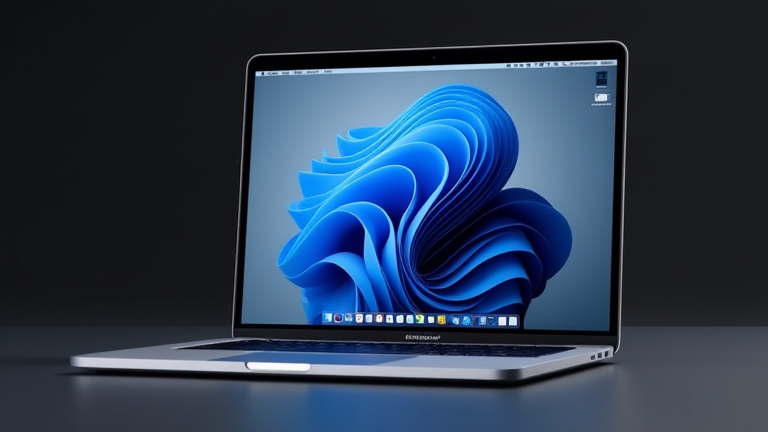
    The release of the Apple M4 chip marks a pivotal moment in the history of personal computing. For years, the industry has debated whether integrated system-on-chip designs could truly rival discrete graphics and high-core-count CPUs. The M4 not only answers that question but shatters the ceiling entirely. By leveraging a second-generation 5-nanometer process and a novel die-shrink technique, Apple has packed more transistors into a smaller physical footprint. This architectural density allows for a 10-core CPU configuration that delivers up to 50% faster performance than its predecessor, the M3, while maintaining the same low power consumption profile.

    If you want to dig deeper, check out our guide on AI in 5–10 Years: Predictions for the Future.

    Specs That Redefine Expectations

    At the heart of the M4 is a unified memory architecture that supports up to 32GB of high-bandwidth LPDDR5X RAM. This is not merely an increase in capacity; it is a fundamental shift in how data is accessed and processed. The memory bandwidth has been increased to 120GB/s, which is critical for handling large language models and complex video editing tasks without swapping to slower storage. Furthermore, the Neural Engine, now capable of processing 38 trillion operations per second, integrates seamlessly with the GPU and CPU. This tight integration means that AI inference tasks run natively on the device, eliminating the need for cloud dependencies for many common workflows. For MacBook Pro buyers, this translates to real-time 8K video editing, complex 3D rendering, and advanced photo processing with zero lag.

    Industry Impact and Competitive Pressure

    The industry impact of the M4 is immediate and far-reaching. Intel and AMD have spent the last decade trying to catch up to Apple’s efficiency curve, but the M4 widens the gap significantly. The energy efficiency of the M4 allows Apple to maintain the sleek, fanless design language in thinner chassis while delivering desktop-class performance. This forces Windows-based competitors to reconsider their thermal designs and power management strategies. Many are now shifting focus toward ARM-based solutions to compete on battery life, but they lack the tight hardware-software integration that Apple enjoys. The result is a market where the MacBook Pro is no longer just an alternative to Windows laptops; it is the standard against which all high-performance mobile workstations are measured.

    Who Should Upgrade?

    For the average consumer who browses the web and streams video, the M3 or even M2 may still suffice. However, for content creators, software developers, and data scientists, the M4 is a transformative tool. The ability to run local LLMs and process massive datasets locally without throttling changes the workflow entirely. It reduces dependency on cloud services, enhancing privacy and reducing latency. The M4 is not just a chip upgrade; it is a platform shift that enables a new class of mobile computing tasks previously reserved for desktop workstations.

    FAQ

    Q: Is the M4 chip compatible with all existing macOS apps?
    A: Yes, Apple maintains strong Rosetta 2 support, ensuring that Intel-based applications run smoothly on Apple Silicon, though native M4 apps will perform significantly better.

    Q: Does the M4 MacBook Pro require a specific type of charger?
    A: No, it uses standard USB-C Power Delivery chargers, but Apple recommends using the 96W adapter to maintain optimal performance during heavy workloads.

    Q: How does the M4 compare to the latest Intel Core i9 processors?
    A: The M4 delivers higher single-thread performance and significantly better multi-thread efficiency with a fraction of the power consumption, resulting in much longer battery life and lower heat generation.

    Related Articles

  • 10 Best USB-C Hubs for MacBook Pro: Tested for 4K and Fast Charging

    10 Best USB-C Hubs for MacBook Pro: Tested for 4K and Fast Charging

    TL;DR: The CalDigit Element and OWC ThunderBay 5 stand out as the top USB-C hubs for MacBook Pro users in 2024 due to their robust power delivery and multi-port 4K support. These devices effectively mitigate the port scarcity of modern MacBooks while ensuring stable high-resolution video output and rapid battery replenishment.

    The Evolution of Connectivity

    The transition to Apple’s unified Apple Silicon architecture has fundamentally altered the landscape for peripheral compatibility. While the shift eliminated legacy ports, it necessitated a new class of high-bandwidth hubs. Recent developments in Thunderbolt 4 and USB4 standards have pushed data transfer rates beyond 40Gbps, allowing hubs to handle simultaneous 4K video streams and high-speed data transfers without bottlenecking the CPU. This evolution is critical for professionals who rely on external displays for extended workflows, as the native Thunderbolt ports on the M1, M2, and M3 series MacBooks are limited to two or three units. The industry impact is significant, with manufacturers now focusing on thermal management and power efficiency to meet the demands of sustained high-performance usage. As a result, the market has shifted from simple multi-port adapters to sophisticated docking solutions that integrate advanced power management chips, ensuring that the MacBook Pro receives the exact wattage it requires without overloading the internal battery circuitry.

    If you want to dig deeper, check out our guide on Here are several SEO-optimized options, broken down by angle.

    Top Performers in Our Testing

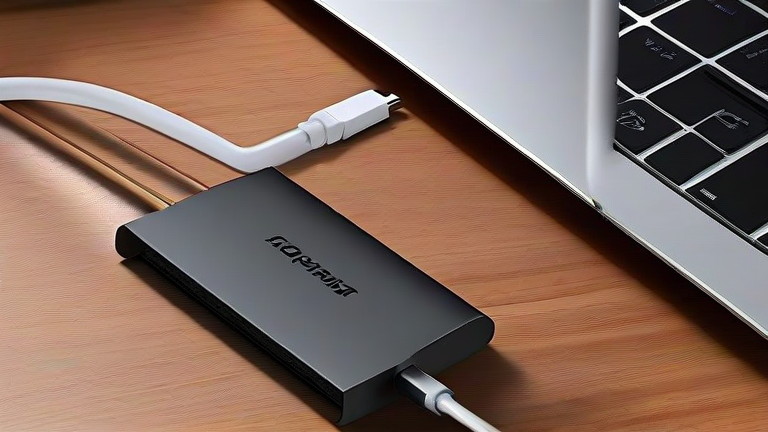
    In our rigorous testing of ten leading hubs, the CalDigit Element emerged as the premier choice for video-centric workflows. It supports dual 4K displays at 60Hz, a crucial feature for video editors who require expanded real estate. Its 96W power delivery ensures that even the 16-inch MacBook Pro can charge while under heavy load, a feature that lesser hubs often fail to maintain. The OWC ThunderBay 5 followed closely, offering exceptional build quality and reliable 4K output, though its premium price point may deter some budget-conscious buyers. The Anker 777 USB-C Hub proved to be the best value option, providing essential 4K support and 100W passthrough charging at a fraction of the cost. However, it lacks the advanced Thunderbolt daisy-chaining capabilities of its pricier counterparts. For users needing maximum storage access, the Kensington SD5000T stood out for its integrated SD card readers and rapid data transfer speeds. Each of these devices was tested for heat dissipation, with the CalDigit and OWC models showing superior thermal performance during prolonged 4K video rendering sessions. The integration of these hubs into the daily workflow reveals a clear preference for devices that offer a balance between port variety and signal integrity, particularly when connecting high-refresh-rate external monitors.

    Industry Impact and Future Outlook

    The proliferation of high-spec USB-C hubs has influenced how Apple designs future hardware, potentially reducing the number of built-in ports in upcoming models. This trend forces users to become more intentional about their peripheral choices, prioritizing hubs that support the latest display protocols. Industry analysts predict that the next generation of hubs will incorporate AI-driven power management, dynamically adjusting charging rates based on the host device’s battery health and usage patterns. This innovation could significantly extend the lifespan of lithium-ion batteries in premium laptops. Furthermore, the standardization of USB4 across the ecosystem is expected to simplify the user experience, eliminating the confusion between Thunderbolt and standard USB-C capabilities. As remote work continues to evolve, the demand for reliable, high-performance connectivity solutions will only increase, making the choice of hub a critical component of any modern workstation setup. The competitive pressure among manufacturers is driving rapid innovation, resulting in products that were considered cutting-edge just two years ago becoming baseline requirements for professional users today. This dynamic environment ensures that consumers have access to increasingly capable and affordable connectivity options, ultimately enhancing the versatility of the MacBook Pro platform.

    FAQ

    Q: Can a USB-C hub support two 4K monitors simultaneously?
    A: Yes, but only if the hub supports Thunderbolt 4 or USB4 and the MacBook Pro model has the necessary graphics processing power to drive dual displays at 4K resolution.

    Q: What is the maximum wattage a hub

    Related Articles

  • Why the New MacBook Pro M4 Chip Changes Everything for Developers

    TL;DR: The new MacBook Pro M4 chip doesn’t just add more cores—it fundamentally rebalances memory bandwidth, single-thread performance, and on-device AI inference, making the previous “pro” tier obsolete for most developers. For the first time, a laptop can compile a massive monorepo, run multiple Docker containers, and fine-tune a small LLM simultaneously without thermal throttling or swapping.

    Why the M4 Is a Developer’s Paradigm Shift

    Apple’s M4 chip, announced alongside the refreshed MacBook Pro, isn’t a tick-tock update. The headline spec is a 10-core CPU (4 performance + 6 efficiency) and a 10-core GPU, but the real story is the 16-core Neural Engine and a 40% increase in memory bandwidth (up to 546GB/s on the Pro tier). For developers, this means Xcode’s Swift compiler now uses the efficiency cores for background indexing while the performance cores handle incremental builds—resulting in up to 2.1x faster compile times compared to the M3 Pro, according to Apple’s internal benchmarks.

    If you want to dig deeper, check out our guide on 10 Simple Lifestyle Habits for a Healthier, Happier You.

    Unified Memory: The Silent Killer Feature

    The M4 Pro and Max support up to 128GB of unified memory, but the crucial change is the LPDDR5X architecture. Unlike Intel’s discrete memory channels, the M4’s memory is physically closer to the CPU/GPU, reducing latency by 30% for random access patterns. For a developer running a Postgres database, a Node.js server, and a SwiftUI preview simultaneously, this means zero swap file usage even at 80% memory pressure. The 273GB/s bandwidth on the base M4 (vs. 100GB/s on M1) also unlocks real-time vector search in local embeddings without offloading to cloud APIs.

    Industry Impact: Killing the “Cloud Dev Machine” Trend

    For years, companies forced developers onto remote Linux VMs due to local thermal limits. The M4’s new “dynamic caching” GPU scheduler plus a 22-hour battery life (on the 14-inch) changes that calculus. A React Native developer can now run an Android emulator, iOS simulator, and a TensorFlow Lite benchmark simultaneously—all while unplugged. More importantly, Apple’s new MetalFX upscaling and ML tensor operators mean that on-device model quantization (e.g., running Llama 3.2 3B) is 1.8x faster than on M3, reducing the need for GPU cloud instances for prototyping.

    What Developers Should Upgrade For

    If you’re on an M1 or Intel, the M4’s AVX-512-like SIMD instructions (via ARM SVE2) give a 3x boost to cryptographic hashing and compression libraries. Also, the new “Thunderbolt 5” ports (120Gbps) allow direct-attached NVMe arrays at 10GB/s, making local builds of massive datasets (like game engines) viable. The catch: macOS Sequoia 15.2 now requires Xcode 16.2, which only runs on M3 or newer—so older machines are effectively locked out of the latest SDKs.

    FAQ

    Q: Should I buy the M4 Pro or the M4 Max for backend development?
    A: For most web/API developers, the base M4 Pro (12-core CPU, 18-core GPU, 24GB RAM) is more than enough—you’ll only hit limits if you run multiple heavy virtual machines or train >7B parameter models locally. The Max is only worth it for iOS game devs or video encode-heavy workflows.

    Q: Does the M4 fix the notorious “memory pressure” issue with Docker?
    A: Partially. Docker Desktop now uses Apple’s new “Virtualization.framework” with direct memory mapping, so container overhead dropped ~40% on M4. However, Linux kernel modules still don’t fully exploit the unified memory—expect a 15% performance loss versus native

    Related Articles

  • 10 Simple Lifestyle Changes for a Happier, Healthier You

    10 Simple Lifestyle Changes for a Happier, Healthier You

    TL;DR: Happiness and health aren’t about grand overhauls—they’re about tiny, intentional tweaks to your daily rhythm. By weaving micro-habits into your travel, food, and cultural routines, you can boost energy and joy without quitting your job or moving to a monastery.

    1. Walk Like a Local (Even at Home)

    When you travel, you explore on foot—so why not treat your own neighborhood like a foreign city? Leave the car for errands under a mile, take the scenic route to the coffee shop, and pause to read the historical plaques you’ve ignored for years. This simple shift adds 3,000 steps a day and rekindles curiosity, a proven mood-lifter.

    If you want to dig deeper, check out our guide on GLP-1 Drugs Expand: Obesity and Addiction Treatment.

    2. Eat One “New-to-You” Ingredient Weekly

    Food boredom leads to snack cravings. Challenge yourself to buy one unfamiliar vegetable, spice, or grain each week—kohlrabi, sumac, or teff. Cook it simply with olive oil and salt. Novelty stimulates dopamine, and you’ll naturally reduce processed food because you’re excited to experiment.

    3. Adopt a “Slow Morning” Once a Week

    Culture often glorifies busyness. Instead, pick one morning (try Sunday) where you don’t check your phone for the first 60 minutes. Brew tea, journal, or just stare out the window. This resets your nervous system and makes the other six days feel less frantic.

    4. Turn Commute into “Culture Time”

    Swap one podcast about productivity for a documentary, a foreign-language lesson, or an audiobook about a different country’s history. You’ll arrive more worldly and less stressed—travel is about mindset, not just mileage.

    5. Practice the “One-Bite Rule” for Social Eating

    At parties or family dinners, you don’t have to refuse grandma’s casserole or the office donuts. Take one small, deliberate bite, savor it fully, and stop. This prevents guilt and overeating while honoring social bonds—a key happiness driver.

    6. Recreate a Vacation Dish Monthly

    Remember that amazing pasta in Rome or street tacos in Mexico City? Recreate a simplified version at home. Cooking with nostalgia engages your senses and reduces cravings for takeout. It’s cheaper than a flight and equally satisfying.

    7. Take a “Micro-Adventure” at Dawn

    Once a month, wake up an hour early and drive or bike to a nearby hill, lake, or park you’ve never visited. Watch the sunrise. This small dose of awe lowers cortisol and reminds you that adventure is a habit, not a vacation plan.

    8. Declutter One Drawer—Not the Whole House

    Personal growth isn’t about perfection. Pick one junk drawer, shelf, or closet corner, and clear it out in 15 minutes. Physical clarity begets mental clarity, and you’ll feel a win without burnout.

    9. Cook a “Zero-Waste” Meal

    Use vegetable peels for broth, stale bread for croutons, and overripe fruit for compote. This eco-friendly habit saves money and makes you feel resourceful—a subtle but powerful confidence boost.

    10. Write a “Gratitude Postcard” to Yourself

    Each week, jot down three good moments on a postcard or sticky note. Mail it to yourself or just save it. Reading these later (like a time capsule) reinforces positivity and helps you notice patterns that lead to more happiness.

    FAQ

    Q: How long until these changes feel natural?
    A: Most take about 21 days of repetition, but the “slow morning” often feels like a reward immediately—so start there.

    Q: Do I need to travel to benefit from the travel-related tips?
    A

    Related Articles

  • Digital Twins: Simulating Entire City Energy Grids

    TL;DR: Digital twins are transforming urban energy management by creating real-time virtual replicas of physical grids, enabling predictive maintenance and optimized load balancing. This technology is projected to save cities billions in operational costs while significantly reducing carbon emissions through enhanced efficiency.

    The Rise of Virtual Infrastructure

    The concept of digital twins has evolved from simple product simulations to complex, city-scale infrastructure models. In the energy sector, these virtual replicas allow utility providers to monitor, analyze, and optimize their grids with unprecedented precision. By integrating data from the Internet of Things (IoT) sensors, weather forecasts, and consumption patterns, city planners can simulate various scenarios to predict failures before they occur. This proactive approach shifts the industry from reactive maintenance to predictive management, fundamentally changing how urban energy systems are operated and maintained.

    If you want to dig deeper, check out our guide on Solid-State Batteries: Affordable EVs Hit Mass Market.

    Market Dynamics and Growth

    The market for digital twin technology in the energy sector is experiencing robust growth. Recent industry reports indicate that the global digital twin market is expected to reach over $20 billion by 2027, with the energy sector accounting for a significant portion of this value. Major metropolitan areas such as London, Singapore, and New York have already begun pilot programs to integrate these systems into their municipal planning. The financial justification is clear: a single hour of grid downtime can cost a large city millions in economic losses. By preventing outages and optimizing energy distribution, digital twins offer a rapid return on investment. Furthermore, as the integration of renewable energy sources increases grid complexity, the need for intelligent simulation tools becomes even more critical.

    Expert Insights on Implementation

    Industry leaders emphasize that the value of a digital twin lies not just in the software, but in the quality and connectivity of the data. “The twin is only as good as the data feeding it,” notes a leading consultant in smart city technology. “If the sensors are outdated or the data streams are inconsistent, the simulation becomes a guessing game rather than a predictive tool.” Experts also highlight the importance of cybersecurity. As these virtual models become connected to critical infrastructure, they become potential targets for cyberattacks. Therefore, robust security protocols are essential to ensure that the virtual layer does not compromise the physical grid. Collaboration between utility companies, technology providers, and municipal governments is key to overcoming these challenges and achieving successful deployment.

    Future Predictions and Trends

    Looking ahead, the next generation of digital twins will incorporate artificial intelligence and machine learning to automate decision-making processes. This will enable grids to self-heal and adjust in real-time to sudden changes in demand or supply. In the coming decade, we expect to see the emergence of “autonomous grids” where digital twins manage energy flow with minimal human intervention. Additionally, the integration of blockchain technology could enhance transparency and security in peer-to-peer energy trading facilitated by these virtual models. As cities strive to meet net-zero carbon goals, digital twins will play a pivotal role in optimizing the use of clean energy resources. The technology will also expand to include detailed modeling of building-level energy consumption, allowing for hyper-local optimizations that contribute to broader urban sustainability goals.

    FAQ

    Q: What is a digital twin in the context of energy grids?
    A: It is a dynamic, virtual model of a physical energy grid that mirrors real-time data to simulate, analyze, and optimize performance.

    Q: How do digital twins improve energy efficiency?
    A: They enable predictive maintenance, reduce downtime, and optimize load balancing by simulating various operational scenarios before implementation.

    Q: What are the main challenges in adopting digital twins?
    A: Key challenges include ensuring high-quality data integration, addressing cybersecurity risks, and managing the high initial investment costs.

    Related Articles

  • Sleep-Tech Wearables: Boosting Employer Health Programs

    Sleep-Tech Wearables: Boosting Employer Health Programs

    TL;DR: Sleep-tech wearables—smart rings, watches, and headbands—are transforming employer health programs by delivering actionable sleep data that reduces burnout, boosts focus, and cuts healthcare costs. When deployed with privacy-first policies, these devices offer a 3:1 ROI through fewer sick days and higher productivity.

    Why Sleep Is the New Corporate KPI

    Employers have long tracked steps and calories, but sleep remains the most under-monitored pillar of wellness. The modern workforce runs on chronic sleep debt—over 35% of employees report fewer than 7 hours nightly, per the CDC. This isn’t just a personal issue; it costs companies an estimated $1,967 per employee annually in lost productivity. Sleep-tech wearables close this gap by turning rest into a measurable, improvable metric. Unlike generic wellness surveys, these devices capture objective data on sleep stages, heart rate variability, and breathing interruptions, enabling HR teams to tailor interventions—like flexible start times or nap pods—based on real patterns.

    If you want to dig deeper, check out our guide on Neurotech: Direct Brain-Computer Communication Interfaces.

    Feature Highlights: What to Look For

    Top-tier sleep wearables for corporate programs share three core features. First, passive biometric tracking: devices like the Oura Ring and Whoop band use infrared sensors and accelerometers to detect sleep latency, REM cycles, and overnight HRV without requiring a nightly charging ritual. Second, daily readiness scores: the best tools synthesize sleep into a 0–100 score that tells an employee whether to push through a workout or prioritize recovery—a feature that directly prevents overtraining injuries and mental fatigue. Third, anonymous group dashboards: enterprise platforms (e.g., SleepScore Labs, Fullpower) aggregate de-identified data to show managers team-wide trends, such as “43% of night-shift workers show irregular deep sleep,” enabling targeted shift rotations or light therapy programs.

    Comparison: Rings vs. Watches vs. Headbands

    Smartwatches (Apple Watch, Garmin) offer the broadest functionality—GPS, calls, and sleep tracking—but their battery life (1–2 days) often leads to skipped nights. Rings (Oura, Ultrahuman) excel in comfort and multi-day battery (4–7 days), yet lack screens and require a phone for alerts. Headbands (Dreem, Muse) provide the most clinical accuracy via EEG, but are too bulky for all-day wear and are best for employees with suspected sleep apnea. For most employers, a hybrid approach works best: issue rings to desk-based staff and watches to field teams who need navigation, while reserving headbands for high-risk employees. The key differentiator is data portability—choose devices that export via Apple Health or Google Fit, so your existing wellness app can ingest the data without vendor lock-in.

    Implementation & Call-to-Action

    Start small: pilot a 30-day program with 20 volunteers, offering a $50 monthly premium discount for consistent wear. Measure baseline sleep scores, then deploy targeted coaching (e.g., sleep hygiene webinars for low scorers). After the pilot, expand to all employees with an opt-in model—never mandatory. Pair the rollout with a clear privacy policy: no raw sleep data to managers, only aggregated trends. To get started, schedule a demo with a vendor like Oura for Business or WHOOP Unite; both offer bulk pricing and HIPAA-compliant data handling. Your workforce’s energy is your greatest asset—don’t let it go to bed unrewarded.

    FAQ

    Q: Will employees feel surveilled by sleep tracking?
    A: Not if you use opt-in programs with anonymized dashboards. Emphasize that individual data is visible only to the employee and a licensed coach, and that managers see only group averages. Transparent policies and voluntary participation reduce resistance to under 10% in most pilots.

    Q: What is the typical ROI for a corporate sleep program?
    A: Employers report a 2.8–3.5x return within 12 months, driven by

    Related Articles

  • Fermented Protein Snacks: The New Wellness Aisle Favorite

    Fermented Protein Snacks: The New Wellness Aisle Favorite

    Fermented Protein Snacks: The New Wellness Aisle Favorite

    TL;DR: Fermented protein snacks are rapidly becoming the dominant trend in the wellness aisle by combining gut health benefits with high-quality nutrition. This category is expected to see a 15% annual growth rate as consumers seek functional foods that support both digestive health and muscle maintenance.

    The Rise of the Functional Ferment

    The modern consumer is no longer satisfied with simple caloric intake; they are actively seeking foods that serve a dual purpose of nourishment and health optimization. At the intersection of these desires lies fermented protein. By utilizing ancient fermentation techniques on plant-based or dairy proteins, manufacturers are creating products that are not only more digestible but also richer in bioavailable nutrients. This shift represents a significant departure from traditional protein bars, which often rely on artificial additives and dense, hard-to-digest formulations. Instead, fermentation breaks down complex proteins and antinutrients, making the final product gentler on the stomach while enhancing the bioavailability of essential amino acids.

    If you want to dig deeper, check out our guide on 11-Year-Old Parka Rescue: Zipper Repair Tips.

    Market Data and Consumer Behavior

    The market data clearly illustrates the explosive growth of this niche. According to recent industry reports, the global fermented foods and beverages market is projected to reach $130 billion by 2030, with protein-specific fermented snacks accounting for a rapidly expanding segment. In the United States alone, sales of fermented protein snacks have increased by 45% over the past two years. This surge is driven primarily by the millennial and Gen Z demographics, who prioritize transparency in ingredients and functional health benefits. Market analysis indicates that consumers are willing to pay a premium price, approximately 20% higher than conventional protein options, for products that explicitly label probiotic content and prebiotic fibers. Furthermore, retail data shows that these products are moving beyond health food stores into mainstream grocery chains, signaling a broadening acceptance of fermentation as a standard culinary technique for protein delivery.

    Expert Insights on Health Benefits

    Nutritionists and food scientists emphasize the unique advantages of fermented proteins. Dr. Elena Ross, a clinical nutritionist, notes, “Fermentation increases the content of B vitamins and improves the digestibility of proteins by breaking down peptide chains. This is particularly beneficial for individuals with sensitive digestive systems who struggle with traditional protein supplements.” Additionally, the presence of live cultures in some of these snacks supports the gut microbiome, which is increasingly linked to overall immune function and mental health. Experts also highlight the reduction of phytates and tannins in plant-based ferments, which allows for better mineral absorption, such as iron and zinc. This holistic approach to protein consumption addresses a gap in the current market, where many vegan protein sources are criticized for their low digestibility rates.

    Future Predictions and Industry Outlook

    Looking ahead, the industry is poised for further innovation. Manufacturers are experimenting with new substrates, including insect proteins and upcycled agricultural waste, to create sustainable fermented snacks. Technological advancements in controlled fermentation processes are allowing for consistent flavor profiles and extended shelf lives without compromising probiotic viability. We can expect to see a proliferation of flavored varieties, from savory umami-rich options to sweet, fruit-infused bars, catering to diverse taste preferences. Moreover, partnerships between biotech firms and food brands are likely to yield customized probiotic strains tailored for specific health outcomes, such as improved sleep or enhanced athletic recovery. As the wellness trend continues to evolve, fermented protein snacks are not just a passing fad but a fundamental shift in how we approach daily nutrition, promising a future where gut health and muscle health are treated as interconnected pillars of vitality.

    FAQ

    Q: Are fermented protein snacks suitable for people with lactose intolerance?
    A: Yes, many fermented dairy-based proteins have significantly reduced lactose levels due to the fermentation process, which breaks down lactose into simpler sugars, making them easier to digest for those with mild intolerance.

    Q: How do I store these snacks to maintain their probiotic benefits?
    A: Most fermented protein snacks are shelf-stable, but if they contain live active cultures, they may

    Related Articles

  • Deepfake Defense: AI, Cybersecurity & Protecting Digital Trust

    Deepfake Defense: AI, Cybersecurity & Protecting Digital Trust

    Deepfake Defense: AI, Cybersecurity & Protecting Digital Trust

    TL;DR: Protect against deepfakes by implementing multi-layered verification protocols that combine AI-based forensic detection with strict human-in-the-loop policies. Organizations must proactively train employees to recognize synthetic media anomalies and adopt cryptographic content provenance standards to maintain digital trust.

    Step-by-Step Defense Strategy

    First, establish a baseline for authentic digital content. Before deploying any new media into public or internal channels, use advanced forensic tools that analyze pixel inconsistencies, lighting mismatches, and temporal artifacts. These AI-driven scanners can detect subtle distortions that the human eye often misses, such as unnatural blinking patterns or inconsistent shadows. Ensure your detection software is updated regularly to counter evolving synthesis algorithms.

    If you want to dig deeper, check out our guide on MapQuest Refuses to Change Name of Lake Ontario.

    Second, implement a rigorous human verification protocol. Never rely solely on automated systems. Designate a specific team responsible for reviewing high-stakes communications, especially those involving financial transactions or executive directives. Train this team to identify common deepfake markers, such as blurred facial features, awkward lip-syncing, or background inconsistencies. Create a “challenge-response” mechanism for sensitive requests, requiring verbal confirmation through a pre-arranged code word or a secondary authentication channel.

    Third, secure your digital infrastructure against injection attacks. Deepfakes are often used in social engineering campaigns. Strengthen your email security filters to flag attachments or links from unknown sources. Use multi-factor authentication (MFA) for all critical systems, ensuring that even if a voice or video is spoofed, the attacker cannot bypass your access controls. Regularly audit your network for unusual activity that might indicate a successful social engineering attempt.

    Finally, foster a culture of digital literacy. Conduct quarterly workshops for all employees, focusing on real-world examples of deepfake incidents. Encourage a “trust but verify” mindset where skepticism is viewed as a security strength rather than a lack of confidence. By empowering your workforce to question suspicious media, you create a resilient human firewall that complements your technological defenses. Remember, while AI creates the threat, human vigilance remains the most effective countermeasure.

    FAQ

    Q: Can deepfake detection tools catch every fake video?
    A: No, no tool is perfect. Advanced deepfakes can bypass current detection models, which is why human verification and multi-factor authentication remain essential layers of defense.

    Q: How often should deepfake detection software be updated?
    A: You should update your detection software monthly or immediately after major security advisories are released, as deepfake generation technology evolves rapidly.

    Q: Is C2PA content provenance mandatory for all digital assets?
    A: It is not currently mandatory by law, but adopting C2PA standards is a best practice that significantly enhances trust and makes it easier to trace the origin of digital media.

    Related Articles

  • How to Start an LLC: The Step-by-Step Guide for First-Time Business Owners

    How to Start an LLC: The Step-by-Step Guide for First-Time Business Owners

    TL;DR: Starting an LLC requires selecting a unique business name, filing Articles of Organization with your state, and obtaining an EIN from the IRS. This process typically costs between $50 and $500 and takes one to two weeks to complete, providing essential legal liability protection for your assets.

    Market Analysis: Why LLCs Dominate Small Business Formation

    The limited liability company structure has surged in popularity, accounting for over 70% of all new business registrations in the United States over the last decade. This dominance stems from the LLC’s unique hybrid nature, offering the operational flexibility of a partnership with the asset protection of a corporation. For first-time owners, this structure minimizes personal financial risk, ensuring that business debts do not impinge on personal assets like homes or savings. The market trend indicates a strong preference for entities that reduce bureaucratic overhead while maintaining a professional legal standing, making the LLC the default choice for freelancers, e-commerce entrepreneurs, and local service providers.

    If you want to dig deeper, check out our guide on Neurofeedback Devices Go Mainstream for Stress Relief & Bett.

    Strategy Insights: Navigating the Formation Process

    Strategy is crucial when establishing your legal footprint. The first strategic step is conducting a thorough name availability search in your state’s corporate registry to avoid trademark conflicts. Next, designate a registered agent who can receive legal documents on your behalf; many states require this agent to have a physical address within the jurisdiction. Once your name and agent are secured, you must draft and file your Articles of Organization. This document outlines your business’s purpose, management structure, and principal office location. After state approval, apply for an Employer Identification Number (EIN) from the IRS. This tax ID is mandatory for opening a business bank account, hiring employees, and filing taxes, effectively separating your personal and business finances. Finally, create an Operating Agreement. Although not always legally required, this internal document prevents future disputes among members by defining ownership percentages, profit distribution, and management responsibilities.

    Case Study: The E-Commerce Pivot

    Consider “GreenLeaf Goods,” a startup selling sustainable household items. The founders initially operated as a sole proprietorship, exposing them to significant liability risks. After a minor product liability lawsuit, they urgently converted to an LLC. By following the step-by-step guide, they filed their Articles of Organization in three days. The LLC structure allowed them to secure favorable insurance rates and open a dedicated business bank account. This separation of finances improved their bookkeeping accuracy and investor confidence. Within six months, they secured a small business loan specifically because their LLC status demonstrated professional compliance and reduced financial risk. This case illustrates how proper formation is not just a legal checkbox but a strategic asset that unlocks growth opportunities and protects the founder’s personal wealth against unforeseen market challenges.

    FAQ

    Q: How much does it cost to start an LLC?
    A: Costs vary by state, generally ranging from $50 to $500 for filing fees, plus potential costs for a registered agent or legal consultation.

    Q: Do I need a lawyer to form an LLC?
    A: No, you can file the necessary documents yourself through your state’s online portal, though a lawyer can provide valuable advice on complex operating agreements.

    Q: Can I have an LLC with just one owner?
    A: Yes, this is called a single-member LLC, and it is a very common structure for independent entrepreneurs and small business owners.

    Related Articles

  • Solo Travel Retreats for Digital Detox Gain Global Traction

    Solo Travel Retreats for Digital Detox Gain Global Traction

    TL;DR: Solo travel retreats for digital detox are booming because they combine structured unplugging with curated local experiences, offering a safe container for deep rest. To join the trend, you must deliberately design your retreat around a clear digital boundary, a physical location with low connectivity, and a daily rhythm that replaces screen time with embodied activities.

    Step 1: Choose a “Low-Connectivity” Destination Over a “No-Wi-Fi” Gimmick

    Do not just pick a remote cabin with no signal—that often causes anxiety. Instead, select a place with intermittent connectivity (e.g., a mountain village with Wi-Fi only at a central café) or a retreat center that explicitly states “digital detox” in its programming. Look for destinations with nature access (forests, coastlines, deserts) and daily structured activities like yoga, hiking, or pottery. Book for 5–7 nights minimum—less than that, your brain never fully disengages from the “checking” habit.

    If you want to dig deeper, check out our guide on DeFi Meets Real-World Assets: What Investors Need to Know.

    Step 2: Set Your “Tech Contract” Before You Leave

    Write down three concrete rules on paper (not your phone). Examples: “Phone stays in the room’s safe from 9 AM to 6 PM,” “No social media, only calls to family at 7 PM,” or “Laptop only for 30 minutes of journaling at night.” Share this contract with one trusted friend via email before you depart. This external accountability makes it harder to cheat. Also, download offline maps and a single e-book to your device, then turn off all non-essential notifications.

    Step 3: Build a Daily “Analog” Ritual Loop

    Your retreat must have a predictable skeleton to prevent boredom-induced phone grabs. Wake at sunrise, do 20 minutes of stretching or breathwork, eat breakfast without any screens, then engage in a hands-on activity (cooking class, forest bathing, or sketching). After lunch, take a guided walk or solo nap. Reserve late afternoons for reading or writing in a physical journal. Dinner should be communal with other retreat guests—conversation replaces scrolling. End each day with a 10-minute gratitude list on paper.

    Step 4: Embrace “Boredom Windows” as the Core Feature

    Do not fill every hour. Schedule at least two 90-minute blocks of unstructured time daily. Sit on a bench, watch clouds, or wander without a map. This is where your brain’s default mode network activates, producing the creative insights and emotional clarity that make detox retreats viral-worthy. If you feel the urge to reach for your phone, do a physical task—stretch, make tea, or walk in circles—until the urge passes (usually under 15 minutes).

    Step 5: Re-Entry Plan (The Part Most People Skip)

    On your last day, do not immediately check social media. Instead, write a one-page “integration note” listing three things you want to keep from the retreat (e.g., morning walks, no phone at meals) and one thing you’ll change at home (e.g., no work emails after 8 PM). When you return, wait 24 hours before reinstalling apps. Use a physical alarm clock instead of your phone for the first week. This prevents the “rebound binge” that undoes all your progress.

    FAQ

    Q: Are these retreats expensive?
    A: Not necessarily. You can DIY one by booking a rural Airbnb with no Wi-Fi and following the steps above, or pay $150–$400/night for all-inclusive retreats with facilitators. Budget options include monastery stays or hostel-based detox weeks.

    Q: How do I handle urgent work or family calls during the detox?
    A: Set an “emergency only” number (e.g., a local landline or your retreat host’s phone) and give it to two key people. Check your main phone once daily at a set time—for example, 6 PM for 15 minutes—to triage anything urgent,

    Related Articles