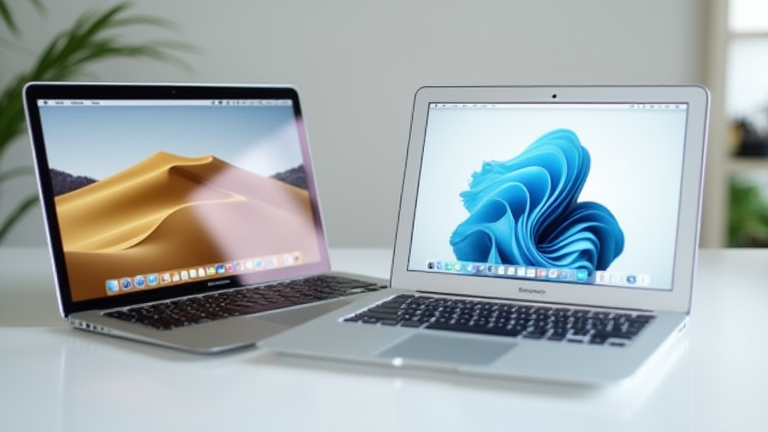
MacBook Pro vs. MacBook Air: Which Apple Laptop Should You Buy?
TL;DR: Choose the MacBook Pro if you require sustained high performance for video editing, 3D rendering, or heavy multitasking without thermal throttling. Opt for the MacBook Air if you prioritize all-day battery life, silent operation, and portability for general productivity and media consumption.
The debate between Apple’s two flagship laptop lines has evolved significantly with the introduction of the M3 and M4 chip architectures. While the MacBook Air remains a powerhouse for most users, the MacBook Pro continues to define the ceiling of what consumer laptops can achieve. Understanding the nuanced differences is crucial for making an informed purchasing decision that aligns with your specific workflow and budget constraints.
If you want to dig deeper, check out our guide on Quantum Computing: Mainstream Commercial Viability Arriving.
Performance and Thermal Management
The core distinction lies in thermal design. The MacBook Pro features an active cooling system with fans, allowing its M-series chips to sustain peak clock speeds for extended periods. This makes it indispensable for professionals running intensive applications like Adobe Premiere Pro or Final Cut Pro. In contrast, the MacBook Air is fanless. While the latest M3 and M4 models are incredibly capable, they rely on passive cooling. For short bursts of intense work, the Air performs admirably, but under sustained loads, it will throttle to prevent overheating, resulting in a noticeable drop in speed. For developers compiling large codebases or engineers running simulations, the Pro’s sustained throughput is a critical advantage.
Display, Connectivity, and Ecosystem
Apple has differentiated the display technologies between the two lines. The MacBook Pro utilizes the mini-LED “Liquid Retina XDR” display, offering a peak brightness of 1600 nits and a ProMotion 120Hz refresh rate. This provides superior contrast and smoother motion, which is vital for color-accurate work. The MacBook Air, while offering excellent color accuracy and brightness, sticks to a 60Hz panel, which may feel less responsive to users accustomed to high-refresh-rate screens. Regarding connectivity, the Pro offers more Thunderbolt/USB 4 ports and supports higher-resolution external displays, making it a better hub for complex setups. The Air, however, is lighter and thinner, appealing to frequent travelers who value weight over port density.
Industry Impact and Value Proposition
From an industry perspective, Apple’s strategy creates a clear tiered market. The MacBook Air has become the default choice for the majority of consumers, education institutions, and small businesses due to its balance of power and price. Its impact has been significant in pushing competitors to improve efficiency and battery life in their own fanless designs. The MacBook Pro, meanwhile, serves as a statement of capability, reinforcing Apple’s position in the professional creative sector. Its impact is seen in the software optimization ecosystem, where developers tailor their tools to leverage the specific hardware acceleration features available in the Pro’s architecture. For most buyers, the “best” laptop is not the most powerful one, but the one that fits the workflow. If your work involves heavy creative output or data processing, the Pro is the only logical choice. For the rest, the Air offers exceptional value, delivering 90% of the performance for a lower cost and with greater portability.
FAQ
Q: Can the MacBook Air handle video editing?
A: Yes, it can handle 4K video editing for short to medium projects effectively, but sustained long-duration renders may cause thermal throttling, making the Pro a better choice for professional workflows.
Q: Is the MacBook Pro worth the extra cost for a student?
A: Generally, no. Unless you are majoring in a field requiring heavy computational power, the MacBook Air offers sufficient performance and longer battery life for typical academic tasks at a lower price point.
Q: Which model has better battery life in real-world usage?
A: The MacBook Air typically offers better real-world battery life due to its fanless design and lower power draw, often exceeding 15-18 hours, whereas the Pro usually delivers 12-16 hours depending on the
Leave a Reply