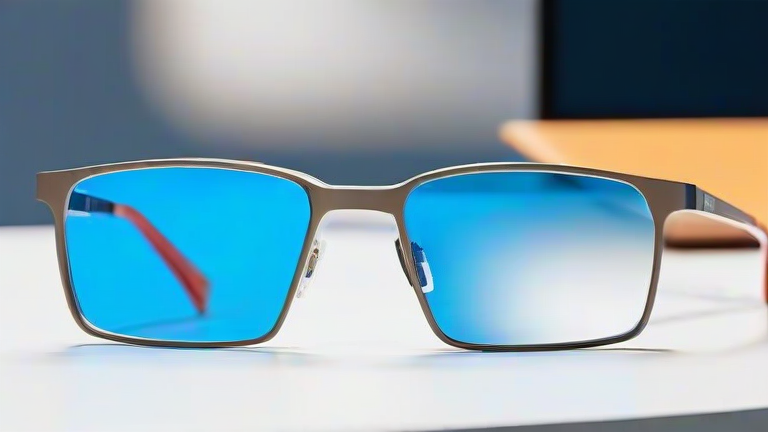
TL;DR: Spatial computing is transitioning from bulky headsets to lightweight glasses by leveraging micro-OLED displays, advanced eye-tracking, and lightweight battery technology. This shift enables all-day wearability and seamless integration into daily life, moving the technology from a novelty to a practical utility tool.
Understanding the Shift to Lightweight Hardware
The evolution of spatial computing is defined by the miniaturization of its core components. Historically, mixed-reality headsets required significant processing power and large optical systems, resulting in heavy devices that caused fatigue. The new era focuses on reducing weight to under one hundred grams, allowing users to wear them like standard eyewear. This guide outlines the steps to adapt to and utilize this new class of devices, ensuring a smooth transition from traditional AR headsets to next-generation smart glasses.
If you want to dig deeper, check out our guide on Why Cold Brew Coffee Is Dominating the Summer Beverage Marke.
Step-by-Step Instructions for Adoption
Step 1: Assess Your Use Case
Before purchasing, determine if your primary need is for navigation, communication, or productivity. Lightweight glasses excel at overlaying simple information but may lack the high-resolution fidelity of heavy headsets for complex 3D modeling. Choose a device that matches your specific workflow requirements to maximize utility.
Step 2: Verify Prescription Compatibility
Unlike previous generation headsets, new lightweight glasses often support prescription inserts or have built-in lens options. Ensure the device fits your specific prescription needs, as this is critical for all-day comfort. Many manufacturers now offer custom lens services, so measure your pupillary distance accurately before ordering.
Step 3: Calibrate Your Environment
Upon unboxing, perform a full environmental calibration. This involves scanning your immediate surroundings to establish spatial anchors. Use the companion app to map your home or office, allowing the system to recognize surfaces and objects. Proper calibration ensures that virtual content stays anchored correctly in the real world, preventing disorientation.
Step 4: Learn Gesture Controls
Most lightweight glasses rely on air gestures rather than physical controllers. Spend time practicing the basic gestures for selection, scrolling, and dismissal. Muscle memory is essential for fluid interaction. Start in a quiet environment to avoid accidental triggers, gradually building confidence before using the device in public spaces.
Step 5: Optimize Power Management
Lightweight batteries are a constraint. Develop habits to conserve power, such as lowering display brightness and disabling unnecessary spatial anchors. Some devices support tethered operation via a small neckband or earbud, which can extend battery life significantly while maintaining a light form factor.
Pro Tips for Enhanced Experience
Keep your lenses clean using microfiber cloths to ensure clear image projection. Dust and smudges are magnified in optical see-through displays. Additionally, pair your glasses with high-quality audio devices, as spatial audio is a key component of the immersive experience. Finally, update your firmware regularly, as developers are rapidly optimizing spatial algorithms to improve tracking accuracy and reduce latency.
FAQ
Q: Are lightweight spatial glasses safe for long-term eye health?
A: Current studies suggest they are safe, but it is recommended to follow the twenty-twenty-twenty rule to prevent eye strain from focusing on near-field virtual displays.
Q: Do these glasses require a separate computer to function?
A: No, most modern lightweight glasses have onboard processors for basic tasks, though heavy rendering may still require a tethered external unit for maximum performance.
Q: How long does the battery typically last?
A: Battery life usually ranges from three to four hours for continuous use, though standby modes can extend this to several days depending on the specific model.
Leave a Reply