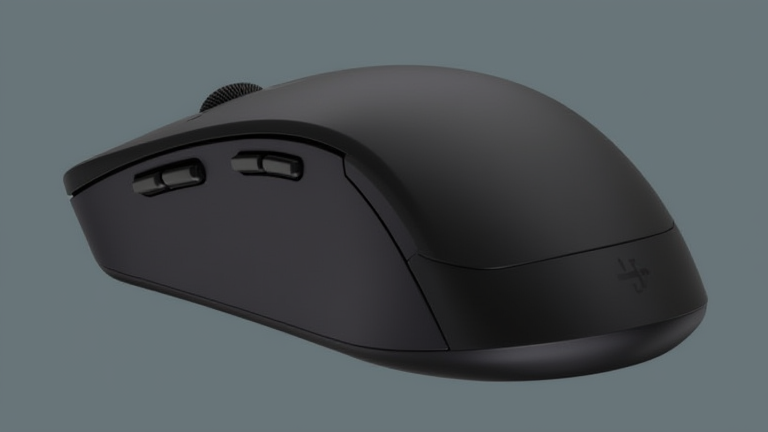
TL;DR: The Logitech MX Master 3S is the undisputed best wireless mouse for Mac users, offering unparalleled precision, ergonomic comfort, and seamless cross-device connectivity. Its upgraded quiet clicks and MagSpeed scrolling make it the ultimate productivity companion for professionals who demand efficiency and reliability in their daily workflow.
Why the MX Master 3S Reigns Supreme
If you want to dig deeper, check out our guide on How to Choose the Best CRM Software for Small Business Growt.
For Mac users, finding a mouse that complements the sleek design and powerful functionality of macOS can be a challenge. Many generic mice lack the necessary drivers or ergonomic considerations required for long coding sessions or graphic design projects. The Logitech MX Master 3S addresses these pain points head-on, establishing itself not just as a peripheral, but as an essential tool for modern professionals. This review explores why this specific model has become the gold standard for MacBook and iMac users alike.
Feature Highlights and Ergonomics
The standout feature of the MX Master 3S is undoubtedly its ergonomic shape. Designed to fit the natural curve of your hand, it reduces strain during extended use. The thumb rest and angled profile provide exceptional support, making it ideal for users who spend hours navigating complex software interfaces. Unlike standard mice that force your wrist into awkward positions, the Master 3S promotes a neutral posture, significantly decreasing the risk of repetitive strain injuries.
Another major upgrade is the introduction of quiet clicks. Logitech claims a 90% reduction in click noise, which is a game-changer for those working in shared offices, libraries, or quiet home environments. The tactile feedback remains crisp and satisfying, ensuring you still get the confirmation you need without the disruptive auditory distraction. This subtle yet impactful change enhances focus and reduces fatigue during long workdays.
The MagSpeed electromagnetic scrolling wheel is another highlight. It allows for near-silent, ultra-fast scrolling through long documents or web pages. You can switch between ratchet mode for precise, line-by-line scrolling and free-spin mode for rapid navigation. This versatility is particularly useful for Mac users managing large datasets or browsing extensive articles. The wheel also supports horizontal scrolling by tilting, further streamlining your interaction with spreadsheet applications like Excel or Numbers.
Connectivity and Compatibility
Connectivity is where the MX Master 3S truly shines. It supports Bluetooth Low Energy and the optional Logi Bolt USB receiver, allowing you to connect up to three devices simultaneously. The Flow cross-computer control feature lets you copy and paste text and files between different computers, seamlessly integrating your workflow across multiple machines. For Mac users, the Logi Options+ software provides deep customization options, allowing you to map buttons to specific macOS shortcuts and gestures. This level of integration ensures that the mouse feels like a native part of the Apple ecosystem, enhancing productivity rather than hindering it.
Comparison and Final Verdict
When compared to competitors like the Apple Magic Mouse or the Razer Pro Click, the MX Master 3S offers superior ergonomics and advanced features. While the Magic Mouse lacks a thumb rest and relies on a flat surface that can cause discomfort, the Master 3S prioritizes user comfort. The Razer option, while excellent for gaming, lacks the specialized productivity features and battery life of the Logitech model. The MX Master 3S strikes the perfect balance between performance, comfort, and versatility.
If you are serious about improving your productivity and reducing physical strain, the Logitech MX Master 3S is worth every penny. Its robust build quality, long battery life, and intelligent software make it a smart investment for any Mac user. Upgrade your setup today and experience the difference that thoughtful design and advanced technology can make in your daily work.
FAQ
Q: Is the Logitech MX Master 3S compatible with all Mac models?
A: Yes, it works seamlessly with macOS via Bluetooth or the Logi Bolt USB receiver, supporting both Intel and Apple Silicon Macs.
Q: How long does the battery last on a single charge?
A: The battery lasts up to 70 days on a full charge, and a quick 1-minute charge provides three hours of use.
Q: Can I use the mouse with Windows and
Leave a Reply